Public sharing · Secure tunnels · Crew-ready

Show your localhost.
Like it's already deployed.

Jetty turns local dev servers into public URLs and curated demo galleries — so clients, webhooks, and your crew can hit your machine like it's prod.

  • Public galleries
  • Automatic HTTPS
  • Crew berths
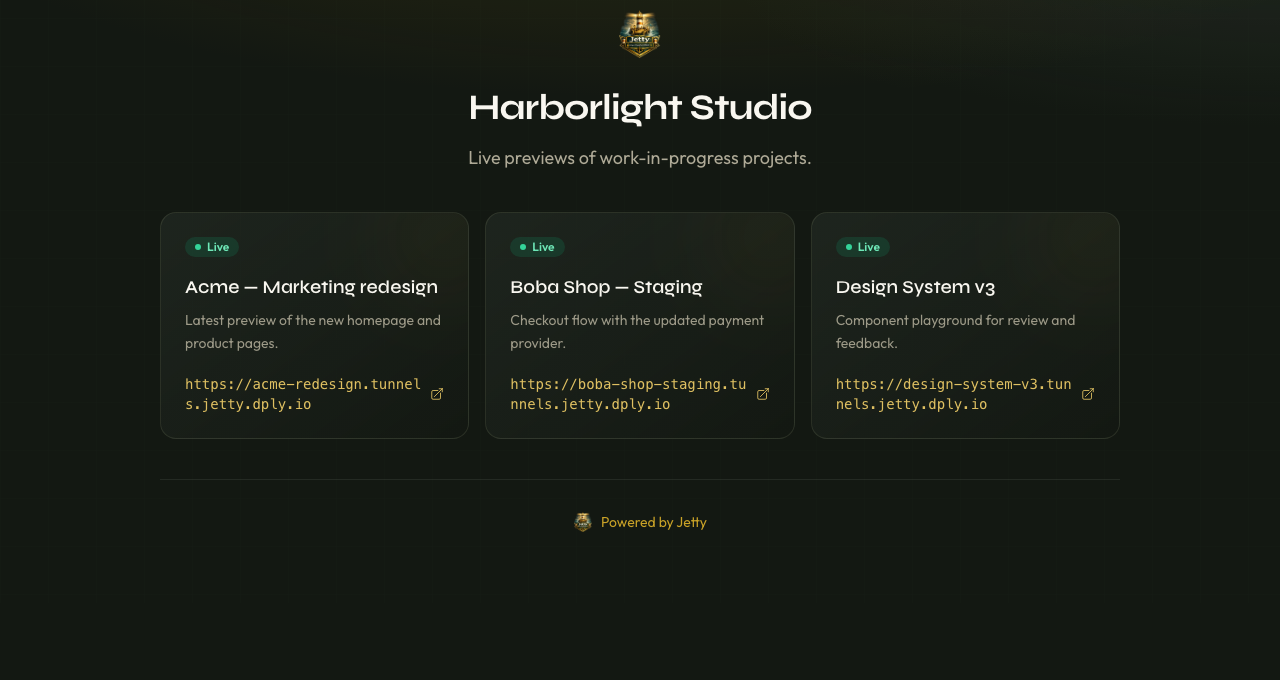
Jetty public gallery for Harborlight Studio showing three live tunnels

A live gallery at usejetty.online/gallery/your-crew

TLS

Certificates on every public URL

1

Outbound connection—no open ports

Webhooks & APIs to your desk

Fleet

Shared tunnels & access control

Public sharing

Publish a gallery in two clicks

Curate the running tunnels you want public — clients, prospects, and your crew open one URL and see exactly what you're working on.

  1. 01

    Pick the tunnels

    Add the running services you want public. Stopped tunnels auto-hide so visitors never see a broken page.

  2. 02

    Set a slug

    Your gallery lives at usejetty.online/gallery/your-crew. No Jetty account needed for visitors.

  3. 03

    Share the link

    Drop it in a client email, a prospect's Slack, or your own portfolio. Each tunnel link is just a click away.

Galleries are a Captain or Fleet feature.

Built how you actually work

Not a demo stack—a tunnel platform you can ship billing, policy, and regions on top of.

Tunneling

Live monitor for every tunnel

Status, request samples, and degraded detection in one dashboard. Public URLs terminate TLS at the edge — Stripe, GitHub, and your browser see a normal trusted certificate, not your home IP.
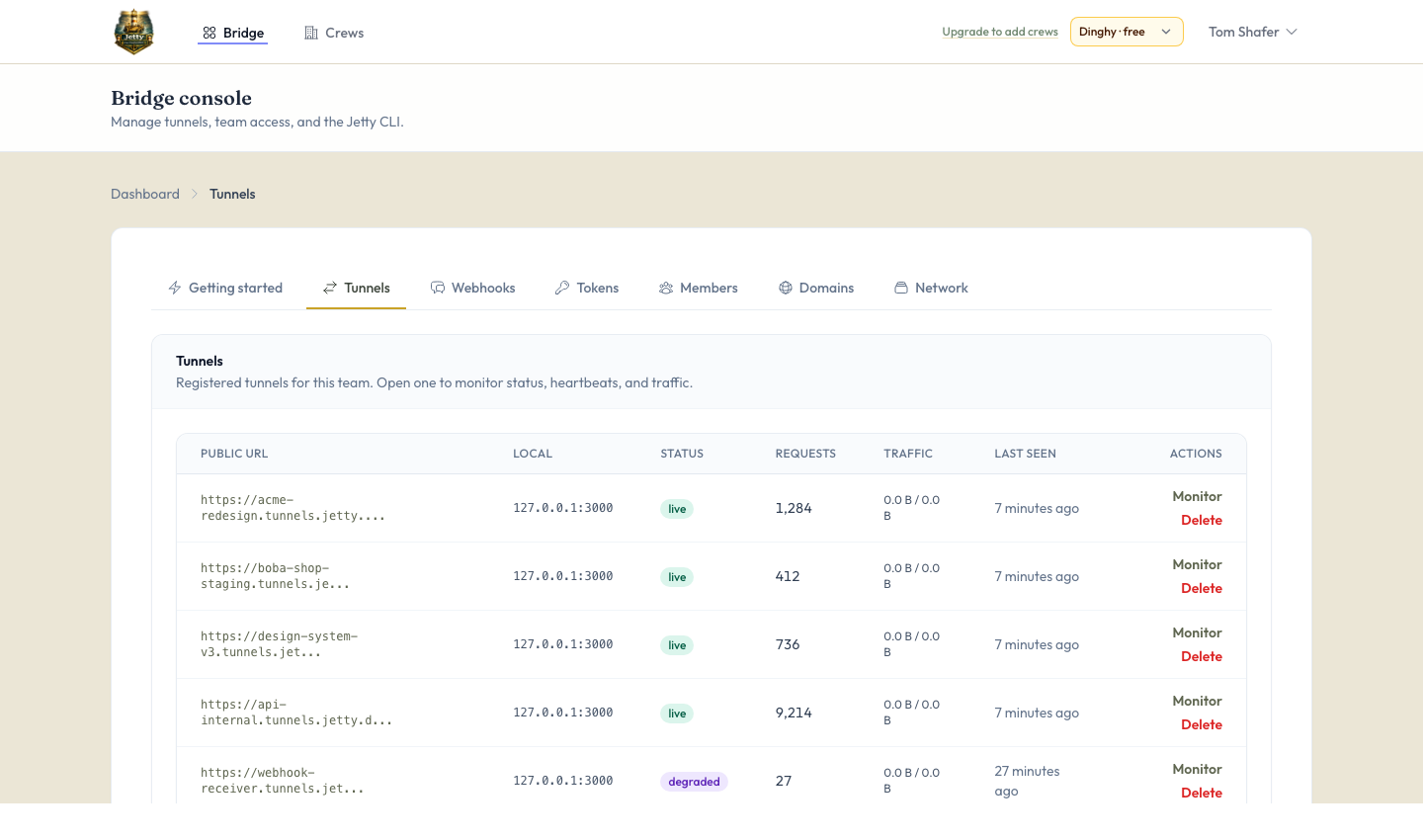
Jetty dashboard showing five tunnels with live and degraded statuses

Real devices

Phone on LTE opens the same site you have on Wi‑Fi—no USB, no deploy.

Crew berths

Reserved hosts, shared visibility, hooks for policy when your crew grows.

Three moves

From install to a shareable URL—nothing on your router.

  1. 01

    Install & sign in

    Grab the CLI, authenticate once, pick your team.

  2. 02

    Point at a port

    Run tunnel against the server already on your machine.

  3. 03

    Share the URL

    Webhooks and humans hit TLS on our edge; traffic rides the tunnel home.

Quick start

One curl, then jetty share 3000

Install the PHP CLI, run jetty login (it auto-generates an API token), and point at a local port.

$ curl -fsSL https://usejetty.online/install/jetty.sh | bash
$ jetty login && jetty share 3000

Or download the PHAR directly.

Pricing

Start on Dinghy for free. Upgrade to Captain or Fleet from your crew's billing settings—paid plans use Stripe Checkout and the customer portal.

Dinghy

Get up and running with a free account. No card required.

$0 $0

What you get

  • 1 team per crew, up to 2 members per team
  • TLS tunnels & ephemeral URLs
  • 1 concurrent tunnel per team
  • 1 reserved label on the shared tunnel host
  • Single edge region
  • Custom domains & TCP/UDP tunnels — upgrade to Captain
Try for free
Popular

Captain

Everything in Dinghy, plus persistence and control for daily shipping.

$7 $69

per crew per month per crew per year

What you get

  • Up to 5 teams, up to 20 members per team (operator-configurable)
  • Up to 25 concurrent tunnels per team
  • 10 reserved labels + verified custom domains
  • Up to 3 TCP/UDP (raw) tunnels
  • Request inspection, samples & replay
  • IP allowlist (CIDR) per tunnel at the edge — only trusted client IPs reach your local server
  • Higher rate limits & larger request bodies
Get started

Fleet

Crews that need policy, org-wide scale, and priority.

$19 $219

per crew per month per crew per year

What you get

  • Unlimited teams & roster size by default
  • Unlimited concurrent tunnels & reserved labels (fair use)
  • Unlimited TCP/UDP raw tunnels
  • Org-wide policy & SSO-ready workflows
  • Strict redaction defaults & audit-friendly controls
  • Priority routing & highest edge limits
  • Per-tunnel client IP allowlist and blocklist (CIDR) at the edge, same as Captain
Get started

Questions

What's a public gallery?

A curated webpage at usejetty.online/gallery/your-slug listing the running tunnels you choose to publish. Stopped tunnels auto-hide so visitors never see a broken link. No Jetty account needed for visitors.

Open ports on my router?

No. Your machine makes an outbound connection; visitors never punch through to your LAN.

Corporate firewall?

Usually fine if outbound HTTPS is allowed—validate against your own policy.

Like Expose / ngrok?

Same shape: managed tunnels — plus public galleries for sharing without deploying.

Stay in the loop

Ship notes from the harbor

Occasional updates on new Jetty features, edge regions, and crew workflows. No spam, unsubscribe anytime.

Ship the tunnel. Keep the stack.

Spin up an account and point the CLI at your next build.

Get started